Best Dropbox Alternative for Sending Film & TV Pitch Materials
Jack
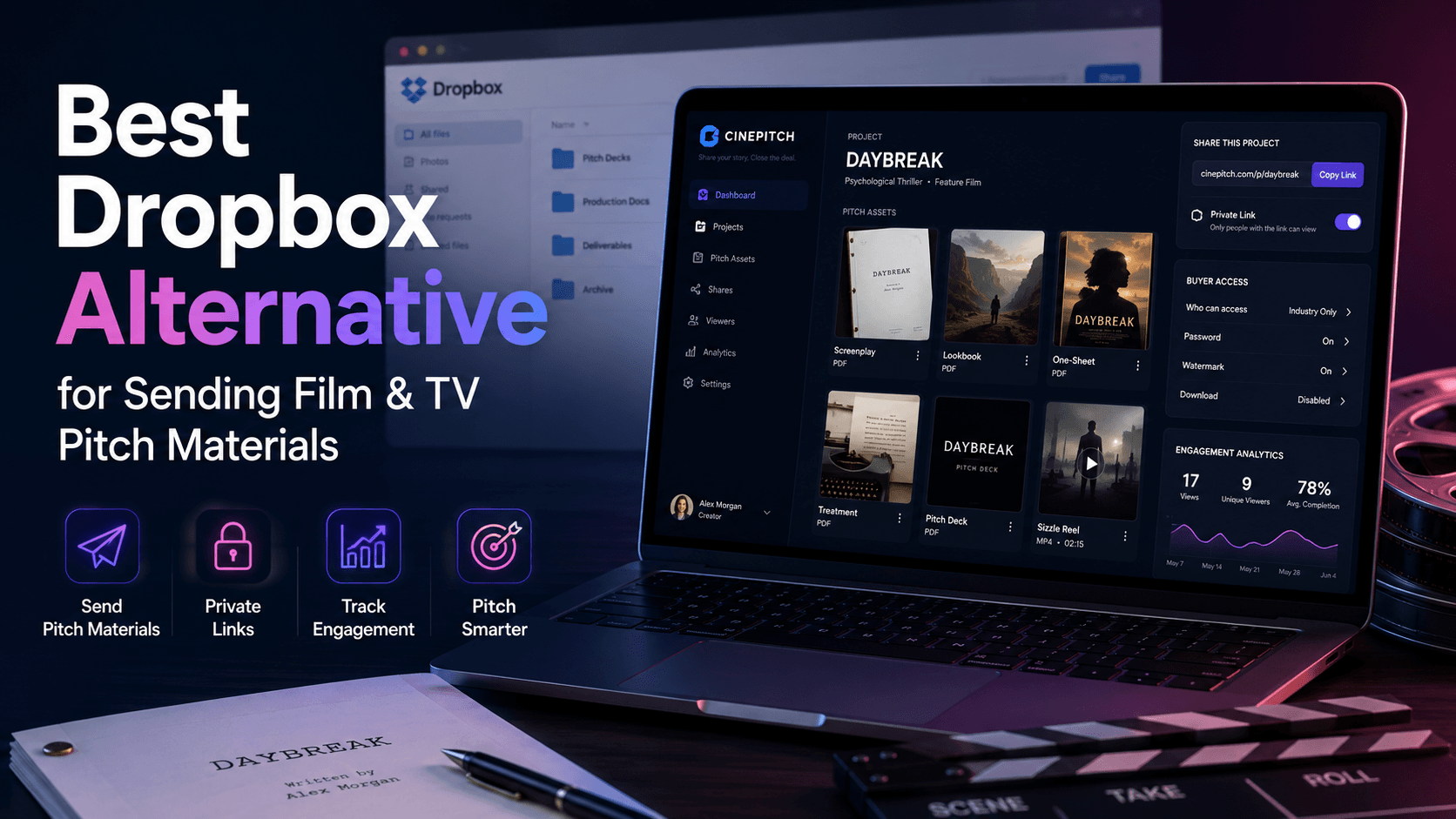
Dropbox has been a staple of the entertainment industry for years. Producers use it to share scripts, decks, sizzle reels, and cuts with buyers, agents, and collaborators. It's reliable. It's familiar. Most people in the industry have an account or at least know how to click a Dropbox link.
But reliability and familiarity aren't the same as capability. And when you examine what Dropbox actually does for your pitch workflow — versus what you need it to do — the gaps are significant.
Dropbox is a file-sharing tool. It moves files from your computer to someone else's screen. That's the whole job. It doesn't package those files into a pitch. It doesn't track whether the buyer engaged with them. It doesn't control which version they're seeing. It doesn't preserve the context around the pitch — the notes, the feedback, the follow-up history.
For two decades, producers have accepted these limitations because there wasn't a better option. That's changed.
Why Producers Rely on Dropbox (And Why They Shouldn't)
Dropbox earned its place in entertainment workflows for practical reasons: it handles large files, it's platform-agnostic, and sharing a folder is easy. When you need to get a script and a video file to someone quickly, Dropbox works.
The issue is that "getting files to someone" is the lowest bar in the pitch workflow. It's the bare minimum. And producers have built their entire pitch process on top of that minimum — adding email chains for context, spreadsheets for tracking, and gut instinct for follow-up timing — because Dropbox doesn't offer anything beyond file delivery.
That cobbled-together system feels functional until you look at what it's actually costing you.
Six Ways Dropbox Fails the Pitch Workflow
1. A Dropbox folder full of files is not a pitch
When a buyer opens a Dropbox shared folder, they see a list of files. Maybe: "PitchDeck_v4.pdf," "SizzleReel_1080p.mp4," "Script_TheVanishingHour_Draft3.pdf," "Lookbook.pdf."
That's not a pitch. That's a filing cabinet someone opened a drawer on and said "dig through this." There's no narrative flow. No guided experience. No signal about what to look at first, what context surrounds the project, or how the pieces fit together.
A buyer at a network or streamer gets dozens of pitches. The ones that feel organized, intentional, and professional get more attention. A Dropbox folder — regardless of how good the materials inside are — signals "I couldn't figure out a better way to send this."
2. Dropbox notifications are not engagement data
Dropbox can notify you when someone views or downloads a file. That's not engagement tracking. That's a binary signal — they either clicked or they didn't.
Engagement tracking means knowing who opened your pitch, how many times they returned, whether they read the script or just skimmed the first page, whether they watched the sizzle reel to completion, and whether they forwarded the materials to someone else at the company.
That's the data that drives smart follow-up. It tells you which buyers are warm, which are cold, and which are actively evaluating your project internally. Dropbox gives you a download notification. Everything else is invisible.
3. File naming conventions are your only version control
Every producer has lived this: a Dropbox folder with "Deck_v1.pdf," "Deck_v2.pdf," "Deck_FINAL.pdf," "Deck_FINAL_v2.pdf," and "Deck_FINAL_REVISED_ForHBO.pdf."
Version control in Dropbox is manual. It depends entirely on your file naming discipline and your ability to remember which file goes where. When you update a deck, do you replace the old file in the shared folder (and hope the buyer doesn't have a cached version)? Or do you add the new version alongside the old one (and hope the buyer picks the right one)?
Neither option is good. The buyer shouldn't have to guess which version is current. And you shouldn't have to manage versioning through file names.
Real version control means one link that always points to the current version. Update your materials, and the buyer automatically sees the latest version. No renaming. No re-uploading. No confusion. Dropbox doesn't offer that.
4. Your pitch context lives outside Dropbox
A Dropbox folder contains files. It doesn't contain the story around those files.
When did you send this pitch? What feedback did the buyer give in the meeting? What did they say they'd get back to you about? Which version of the deck did they see? Did they share it with their development team?
None of that lives in Dropbox. It lives in email threads, meeting notes, spreadsheets, and your memory. And when you need to reconstruct the pitch history — because the project is coming back, because the buyer moved to a new company, because a year has passed and the mandate shifted — you're assembling fragments from five different places.
A pitch isn't just files. It's files plus context plus history plus buyer interactions. Dropbox stores the files. Everything else is your problem.
5. Dropbox pricing keeps climbing for diminishing returns
Dropbox has steadily increased pricing while the core product has remained essentially the same: file storage and sharing. For producers who are paying primarily to share pitch materials with buyers, the value proposition is thin.
You're paying for cloud storage. But what you actually need is a pitch delivery, tracking, and management system. Dropbox gives you the storage. The delivery is basic (shared links to file lists). The tracking is minimal (download notifications). The management is nonexistent (no slate view, no version control, no pitch history).
Every dollar spent on Dropbox for pitch sharing is a dollar spent on infrastructure that doesn't do the job you need done.
6. Shared Dropbox folders create security and access headaches
When you share a Dropbox folder with a buyer, you're giving them access to a container that you manage. If you add files for other buyers to the same folder, everyone sees them. If you share the wrong folder, the buyer sees materials they shouldn't.
Most producers solve this by creating separate folders for each buyer — which multiplies the organizational overhead. Now you're managing 15 folders with overlapping files, updating each one separately when materials change, and hoping you haven't cross-contaminated folders with the wrong versions.
It's a fragile system. One mistake — one wrong file in the wrong folder — and you've shared confidential materials with the wrong party or sent a buyer someone else's pitch.
What Happens When You Replace Dropbox With a Pitch Platform
The shift from Dropbox to a purpose-built pitch tool isn't about incremental improvement. It's about upgrading from file transfer to an actual workflow.
Here's what changes:
The buyer sees a pitch, not a folder. Instead of clicking through a list of files, the buyer opens one link and experiences a complete, organized pitch package. Deck, sizzle reel, script, lookbook, notes — all presented in a logical flow. The first impression changes from "here are my files" to "here is my pitch."
You see what happens after you send. Real engagement data replaces download notifications. Who opened the pitch. How many times they came back. Whether they shared it internally. How far they read into the script. Every data point informs your follow-up strategy.
Versions update automatically. Swap in a new deck. Re-cut the sizzle. Revise the treatment. The link doesn't change. Every buyer always sees the current version. No file-naming gymnastics. No re-sharing.
Context stays with the project. Notes, feedback, buyer interactions, version history — all stored inside the project alongside the materials. When you revisit a pitch six months later, everything is there. Not in email. Not in a spreadsheet. Not in your memory.
Your slate is visible. See every project — development stage, pitch status, buyer engagement — in one view. Know instantly what's getting traction and what needs attention. Dropbox gives you a list of folders. A pitch platform gives you a dashboard.
How SlateGo Replaces Dropbox for Pitch Delivery
SlateGo is a pitch workflow platform built for film and TV producers. It replaces Dropbox as the delivery and tracking layer for your pitch materials — while giving you everything Dropbox never could.
Pitch Packages. Pull your deck, sizzle, script, lookbook, and notes into a single professional package. One link. Polished presentation. No file lists. No folder access to manage.
Buyer Analytics. See who opened your pitch, how often they returned, whether they shared it, and how deeply they engaged with each piece. Follow up with intelligence, not guesswork.
Version Control. Set the current version of every material. Update anything at any time. The link stays the same. The buyer sees the latest version. No re-uploading. No re-sharing. No "which version is in the folder" anxiety.
Development Slate. Your full pipeline — visible, sortable, filterable. Know what's pitch-ready, what's in development, and what's getting real engagement from buyers.
Pitch Archive. Every pitch, every version, every note, every piece of buyer feedback — stored and searchable. Your pitch history is an asset, not a buried folder.
Security by design. Each pitch link has its own access controls. No shared folders with potential crossover. No accidental exposure. You control who sees what, project by project.
Making the Switch
You don't need to migrate everything at once.
Start with your active pitches — the projects you're currently sending out to buyers. Build a SlateGo pitch package for each one. Your files can stay wherever they currently live — Drive, Dropbox, Vimeo. SlateGo pulls them into a package. You send the SlateGo link instead of the Dropbox link.
The first time a buyer opens your pitch and you see the engagement data — the opens, the shares, the read depth — you'll understand what you were missing. And the first time you update a deck and every buyer automatically sees the new version, you'll wonder why you were ever managing version numbers in file names.
Your Dropbox account can handle everything else it's good at — file storage, team collaboration, syncing documents. Just stop using it as your pitch delivery system. That's a job for a different tool.
Try SlateGo Free
SlateGo offers a 7-day free trial. Build your first pitch package in minutes using the materials you already have.
Stop sharing files. Start delivering pitches.