Best Google Drive Alternative for Organizing & Sending Film Pitches
Jack
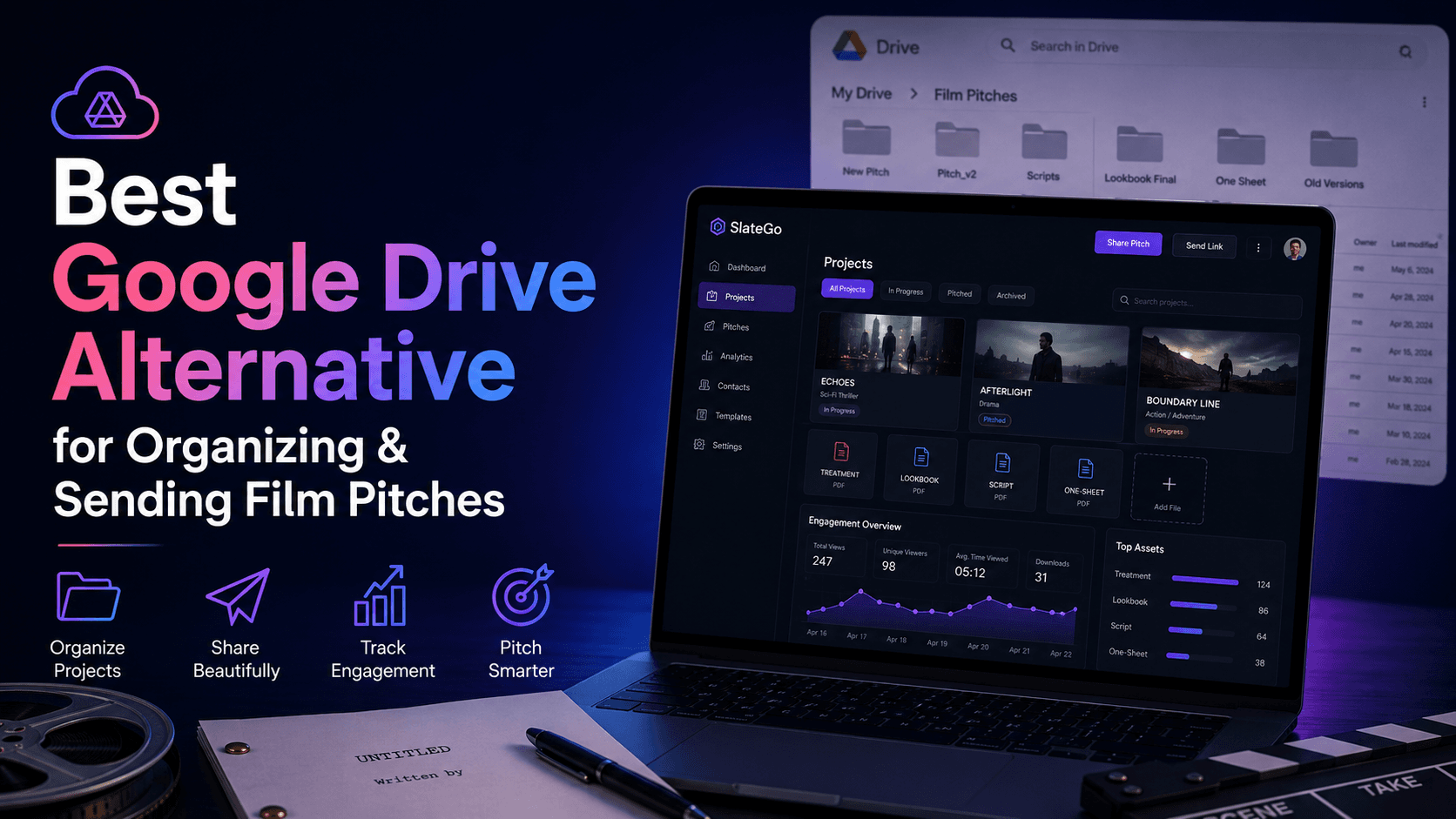
Google Drive is the default. It's where the deck lives. It's where the treatment draft sits. It's where the sizzle reel link got pasted into a doc at some point. Every producer uses it. And every producer has quietly accepted that it's a terrible way to manage pitches.
Not because Drive is bad. It's a perfectly good place to store files. But storing files and running a pitch workflow are two completely different things — and Drive was only ever designed to do the first one.
This article is for producers who are tired of the Drive-and-pray approach to pitching. We'll break down exactly where Google Drive fails as a pitch tool, what you're losing by using it, and what a purpose-built alternative looks like.
Google Drive Is a Filing Cabinet, Not a Pitch Workflow
Here's the distinction that matters: Google Drive stores your materials. It does not help you pitch with them.
A pitch workflow involves assembling materials into a cohesive package, delivering that package to a buyer in a way that looks professional, tracking whether the buyer engaged with it, managing versions as your project evolves, and preserving the history of every pitch you've ever sent.
Google Drive does exactly one of those things — it stores the raw files. Everything else is manual, invisible, or impossible.
That gap between "storage" and "workflow" is where producers lose time, lose credibility, and lose track of what's happening with their projects.
Five Ways Google Drive Fails Your Pitch Workflow
1. Your materials are scattered across folders, and every pitch is a scavenger hunt
The deck is in one folder. The sizzle reel link is bookmarked somewhere, or maybe it's in a Google Doc. The script PDF is in another folder — or was it the one you emailed last month? The lookbook is in Canva. The producer's notes are in yet another doc.
Every time a buyer says "send me the pitch," you're not sending — you're searching. You're opening tabs, checking folders, verifying file names, and hoping you've found the right versions of everything.
This isn't a productivity problem. It's a credibility problem. If it takes you an hour to assemble a pitch that should take 30 seconds to send, your materials aren't organized — they're scattered.
2. You have zero visibility into what happens after you share a link
You send a Google Drive link to a buyer. Then what?
You don't know if they opened it. You don't know if they clicked through to the deck. You don't know if they watched the sizzle reel. You don't know if they read the script — let alone how far they got. You don't know if they forwarded the folder to a colleague.
Google Drive can tell you that a file was "viewed." It cannot tell you who viewed it, how many times, whether they engaged deeply or bounced immediately, or whether the package was shared internally at the network.
So your follow-up strategy is based entirely on guesswork. You either follow up too early (annoying), too late (forgotten), or not at all (because you have no signal to act on). Every producer has sent a pitch into silence and wondered what happened. The answer is usually not "they didn't like it." It's "you have no data."
3. Sharing a Drive folder looks unprofessional
A Google Drive folder with five loose files in it does not say "polished pitch from a serious producer." It says "here's my stuff, good luck figuring out what to look at first."
Buyers at networks and streamers receive dozens of pitches. The ones that stand out are the ones that are easy to engage with — one link, clean layout, logical flow from concept to materials. A Drive folder with "PitchDeck_v3_FINAL_FINAL.pdf" and "SizzleReel_Link.txt" does not create that experience.
This matters more than most producers realize. The presentation of your pitch signals how organized and professional you are. A scattered file dump says something about you before the buyer reads a single word.
4. Version control is a nightmare
Projects evolve. Decks get redesigned after feedback. Sizzle reels get re-cut. Scripts go through revisions. Every time you update a file in Drive, you're faced with a question: did you already share this folder with someone? Are they looking at the old version? Did you remember to replace the file, or did you accidentally create a new one alongside it?
Google Drive has no concept of "this is the current live version of my pitch." It just has files. And when your project has been through five deck revisions and three sizzle cuts, your Drive folder becomes an archaeological dig. The buyer might be looking at version 2 while you're on version 5.
There's no mechanism to update what a buyer sees without either resharing or hoping they refresh. And there's no way to know which version a specific buyer received.
5. Old pitches disappear into the folder graveyard
Every producer has a folder called "Archive" or "Old Projects" or just a graveyard of unnamed folders from 2021. Inside those folders are pitches that might be relevant again — if you could find them, and if the notes, feedback, and context from that era were still attached.
They're not. The buyer's feedback was in an email. Your internal notes were in a separate doc. The version history of the deck is gone because you overwrote the file. The pitch exists in Drive as a collection of dead files with no context about what happened, who saw it, or why it stalled.
Film and TV is cyclical. Mandates change. Buyers move to new companies. Projects that got a "not right now" can become a "yes" two years later. But only if you can actually find and reconstruct the pitch. Google Drive makes that nearly impossible.
What a Purpose-Built Pitch Workflow Looks Like
SlateGo was built to replace the part of Google Drive that producers have been misusing — the pitch workflow.
Here's what changes when you stop treating a filing cabinet as a pitch tool:
One link, not a folder. SlateGo lets you assemble your deck, sizzle reel, script, lookbook, and notes into a single web-based pitch package. You send the buyer one link. They see a polished, organized presentation — not a folder of loose files. Your existing Drive and Vimeo links drop straight into the package. No re-uploading. No forced migration.
Real engagement data. When a buyer opens your SlateGo link, you see it. When they come back three days later, you see it. When they share the package with a colleague, you see it. When they read your script to page 47, you see that too. Your follow-up decisions are based on behavior — not silence.
Controlled versioning. Update your deck, swap in a new sizzle cut, revise the treatment — the link stays the same. The buyer always sees the current version. No confusion. No stale files. No "is this the right one?" anxiety.
Your full slate, organized. Every project in your pipeline — from early development to pitch-ready to archived — visible in one sortable, filterable view. Know instantly what's ready to go out and what still needs work.
Preserved history. Every pitch, every version, every note, every piece of buyer feedback — searchable and tied to the project. When an old project becomes relevant again, you don't dig through dead folders. You open it and everything is there.
You Don't Have to Leave Google Drive
This is important: SlateGo doesn't require you to abandon Google Drive.
Your files can stay exactly where they are. Your deck can live in Drive. Your sizzle reel can stay on Vimeo. Your lookbook can stay in Canva. SlateGo is the layer that sits on top of those tools and turns scattered files into a trackable, organized pitch workflow.
Think of it this way: Google Drive holds your ingredients. SlateGo assembles them into a meal and tells you whether anyone ate it.
You don't need to migrate anything. Start with your active pitches. Drop the links and files into a SlateGo package. Send it. See what happens. Your archive builds naturally from there.
The Cost of Doing Nothing
The biggest argument for sticking with Google Drive is that it's free and familiar. Both are true.
But consider what you're actually paying for that "free" workflow:
Time spent assembling pitches from scattered files instead of sending them in seconds. Follow-ups based on guesswork because you have zero engagement data. Credibility lost when a buyer opens a messy folder instead of a polished package. Versions confused when the wrong deck goes to the wrong buyer. History lost when old pitches become relevant and you can't reconstruct them.
None of those costs show up on a billing statement. All of them affect whether your projects get sold.
Try SlateGo Free
SlateGo offers a 7-day free trial. The Starter plan is free permanently for light usage. Set up takes minutes — not hours, not a migration project.
Start with one active pitch. Pull your materials into a package. Send the link. See the engagement data. Then decide whether your Google Drive folder was ever really a workflow.